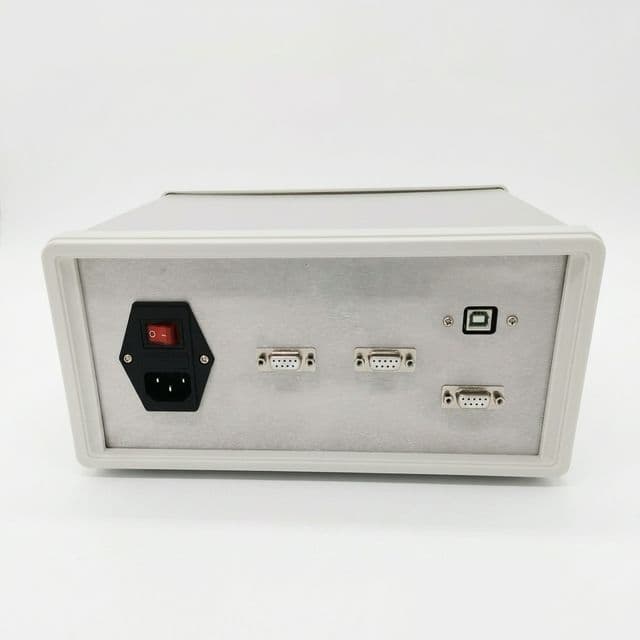
CANopen Driver Configuration Tool
Calculate Node ID COB-IDs, validate Heartbeat safety, and map CiA 402 PDOs for CANopen motor drivers, servo amplifiers, and CANopen Linux driver integrations.
Published 2026-06-23. Last updated 2026-06-25.
Key Conclusions & Benchmarks
Based on CiA (CAN in Automation), Linux SocketCAN, and CANopenNode references reviewed on 2026-06-25.
CANopen Linux Driver Decision Path
A search for "canopen linux driver" usually means the same engineering task as a CANopen driver setup: bind a Linux CAN interface, run a CANopen stack, then verify CiA 301/CiA 402 behavior against the physical drive.
Known
SocketCAN is the Linux CAN interface layer; CANopenNode can run over SocketCAN on Linux systems.
Still to verify
EDS/DCF content, firmware modes, PDO mapping permissions, and heartbeat-consumer behavior for the selected drive.
Next action
Run this node map, bind the Linux CAN interface, then test NMT, SDO, PDO, heartbeat, bus-off, and safe-stop behavior on the final harness.
Linux evidence pack example
Capture these artifacts during validation so the Linux CANopen driver setup can be audited against the same node map generated above.
ip link set can0 type can bitrate 500000
ip link set can0 up
candump -tz can0 | rg '701|181|201|581|601'
# Archive: EDS/DCF, PDO map, heartbeat timing, NMT test, bus-off recovery- Verify object
0x1017heartbeat producer time and the Linux master heartbeat-consumer timeout. - Compare
0x1800/0x1A00TxPDO and0x1400/0x1600RxPDO entries against the EDS/DCF file. - Record NMT reset, pre-operational, operational, fault, and bus-off recovery behavior before pilot release.
Implementation Methods & Evidence
Integrating a CANopen driver into an automated guided vehicle (AGV) or autonomous mobile robot (AMR) relies heavily on the CAN in Automation (CiA) standards. The two most critical standards for motor drivers are CiA 301 (Application Layer and Communication Profile) and CiA 402 (Device Profile for Drives and Motion Control).
Data Source & Traceability
- Protocol specifications: CiA communication objects and CiA 402 drive-profile evidence are traced to CAN in Automation references (can-cia.org).
- Physical layer limits: bitrate-to-length values are a first-pass screen, not a guarantee for the final harness.
- Bus load guidelines: use worst-case frame length, PDO frequency, arbitration, and bit stuffing before accepting a synchronized motion cycle.
- Adjacent checks: use the CAN bus motor controller fit tool for controller selection and the CAN bus motor fit check before freezing a driver, motor, and harness package.
| Evidence | Source / Date | How this page uses it |
|---|---|---|
| Default CiA 301 COB-ID formulas | CAN in Automation, CANdictionary v13 2026 2026 dictionary | NMT, SYNC, EMCY, PDO, SDO, and heartbeat object scope. |
| CANopen CC bitrate and trunk-length screen | CAN in Automation, CANopen lower layers accessed 2026-06-23 | Rates from 10 kbit/s to 1 Mbit/s and deployment length guardrails. |
| Drive object dictionary and state machine | CAN in Automation, CiA 402 series for drives CiA 402-2/402-3 rev. 5.0.0 dated Feb 6, 2024 | Control Word 0x6040, Status Word 0x6041, and mode-specific drive behavior. |
| Certification and interoperability boundary | CAN in Automation, CANopen conformance test tool accessed 2026-06-23 | Conformance evidence does not replace harness timing and multi-vendor pilot tests. |
| Safety boundary for STO and safe motion | EN 50325-5 CANopen Safety / IEC 61800-5-2 scope IEC 61800-5-2 edition 2.0, Apr 18, 2016 | Ordinary CANopen commands are not a substitute for safety-rated stop functions. |
| Linux CAN interface boundary | Linux kernel SocketCAN documentation accessed 2026-06-25 | SocketCAN exposes CAN as Linux network interfaces; CANopen services still need an application/profile layer above it. |
| CANopenNode on Linux integration path | CANopenNode device-support documentation accessed 2026-06-25 | SocketCAN-based Linux integration can provide CANopen master functions, but NMT, SDO, PDO, and heartbeat behavior remain implementation responsibilities. |
Continue the architecture check
After the CANopen driver node map is stable, review the wider AMR/AGV drivetrain package before committing supplier hardware.
CiA 402 Object Dictionary
| Object | Index | Function |
|---|---|---|
| Control Word | 0x6040 | State machine commands (e.g., Enable). |
| Status Word | 0x6041 | Feedback on driver state and faults. |
| Op Mode | 0x6060 | Selects PP, PV, TQ, HM, CSP, CSV. |
| Target Pos | 0x607A | Motor position setpoint. |
Baud Rate vs. Cable Length
| Baud Rate | Max. Bus Length | Typical Application |
|---|---|---|
| 1 Mbit/s | ~25 meters | Compact robots, enclosures. |
| 500 kbit/s | ~100 meters | Standard AGVs, factory floors. |
| 250 kbit/s | ~250 meters | Large machinery. |
| 125 kbit/s | ~500 meters | Building automation. |
Risks & Architecture Trade-offs
Bus Load Overload & Jitter
A standard 11-bit CAN frame has a fixed overhead of 44 bits plus up to 64 bits of data. With bit-stuffing, frame size increases.
Formula: Bus Load [%] = (Total Bits/s / Nominal Bitrate) × 100
Using a 1ms SYNC cycle on a 500 kbps bus with multiple nodes can quickly exceed the recommended 50% average bus load limit, leading to high jitter and control loop instability.
CANopen vs. EtherCAT
- CANopen: Ideal for 2-4 axes, low cost, robust, 5-10ms cycle times.
- EtherCAT: Ideal for 4+ axes, 100 Mbit/s bandwidth, sub-millisecond cycle times with extremely low jitter.
FAQ
What is the difference between CAN bus and CANopen?
CAN bus is the physical and data-link layer (OSI Layers 1 and 2), defining electrical signals and frame arbitration. CANopen is the application layer protocol (OSI Layer 7) that defines how devices structure data, communicate states, and manage networks using Object Dictionaries.
Can I run 8 servo drives at 1ms SYNC on a 500 kbps CANopen bus?
Generally, no. A 1ms SYNC requires 1,000 cycles per second. For 8 drives sending TxPDOs and receiving RxPDOs every millisecond, the required total bits per second (including CAN frame overhead of ~44 bits + data + bit stuffing) will exceed the 500,000 bps physical limit. You would need to reduce the SYNC rate to 4ms or 5ms, increase the baud rate to 1 Mbit/s (if cable length allows), or switch to EtherCAT.
Does a CANopen driver handle Safe Torque Off (STO)?
No. CANopen communication alone is not safety-rated for STO. STO requires dedicated hardware circuits or a certified Safety over EtherCAT/CANopen Safety (EN 50325-5) implementation. Do not rely on CANopen software commands for emergency stops.
How do I use a CANopen Linux driver with these settings?
When using a CANopen Linux driver (such as CANopenNode over SocketCAN), the COB-IDs and PDO mappings calculated here must be configured in your Object Dictionary (often via an EDS file or C code initialization). The Linux host acts as the CANopen master, meaning your Linux application must implement the heartbeat consumer and NMT master logic to monitor these hardware nodes.
Is a CANopen Linux driver the same as a SocketCAN kernel driver?
No. SocketCAN exposes CAN interfaces such as can0 to Linux user space. A CANopen Linux driver or stack sits above that interface and is responsible for CiA 301 services, NMT, SDO/PDO handling, heartbeat supervision, and CiA 402 drive-profile behavior.
Next Step After the CANopen Driver Check
Save the node ID, COB-ID list, PDO mapping, heartbeat interval, and bitrate screen as the first page of the supplier evidence pack. The next review should compare the exact drive firmware, EDS/DCF file, harness drawing, and safety manual before pilot release.